Search for a gait analysis app and you'll find tools that have little in common: apps that film you, apps that read the motion sensors of a phone in your pocket, apps that pair with sensor insoles, and stopwatch apps that only time a walk. They measure different things, need different equipment and run on different phones. This guide sorts them by type, compares the options side by side and helps you pick the kind that fits what you want to measure, on iPhone or Android.
What a gait analysis app measures
Whatever the method, a gait analysis app is trying to measure the same handful of things. Knowing what they mean makes any app's report easier to read.
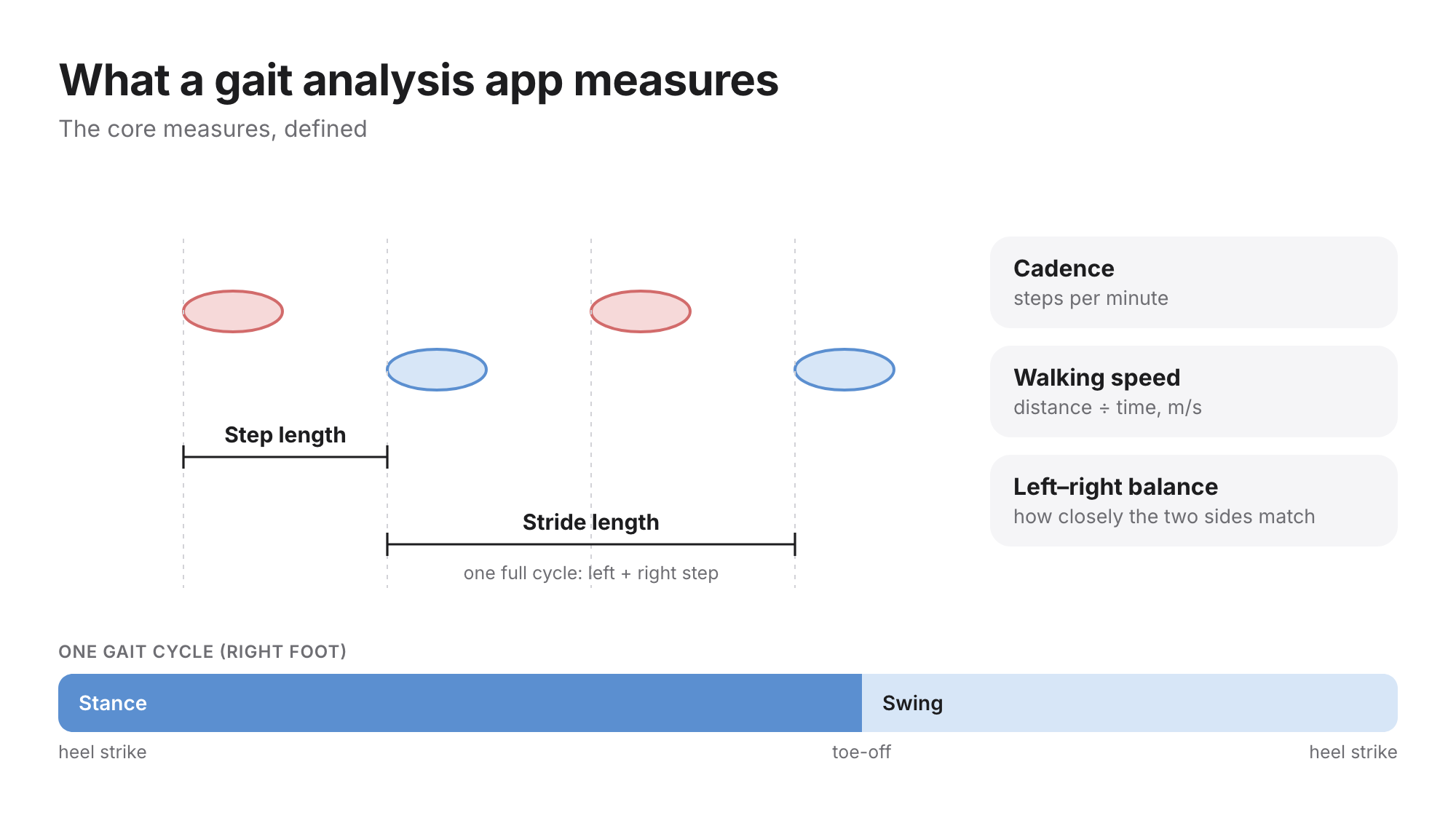
- Walking speed: distance divided by time. The most studied single gait measure in older adults (Studenski et al., JAMA 2011).
- Step length: from one heel strike to the next heel strike of the other foot. Stride length is a full cycle: a left and a right step.
- Cadence: steps per minute, the rhythm of the walk.
- Stance and swing: the share of each cycle a foot spends on the floor and in the air.
- Left–right balance: how closely the two sides match in timing and length.
A gait test app does the same job framed as a test: a walk under set conditions, so results can be compared over time or against published reference values. Ours are on the reference values page.
The kinds of gait analysis app
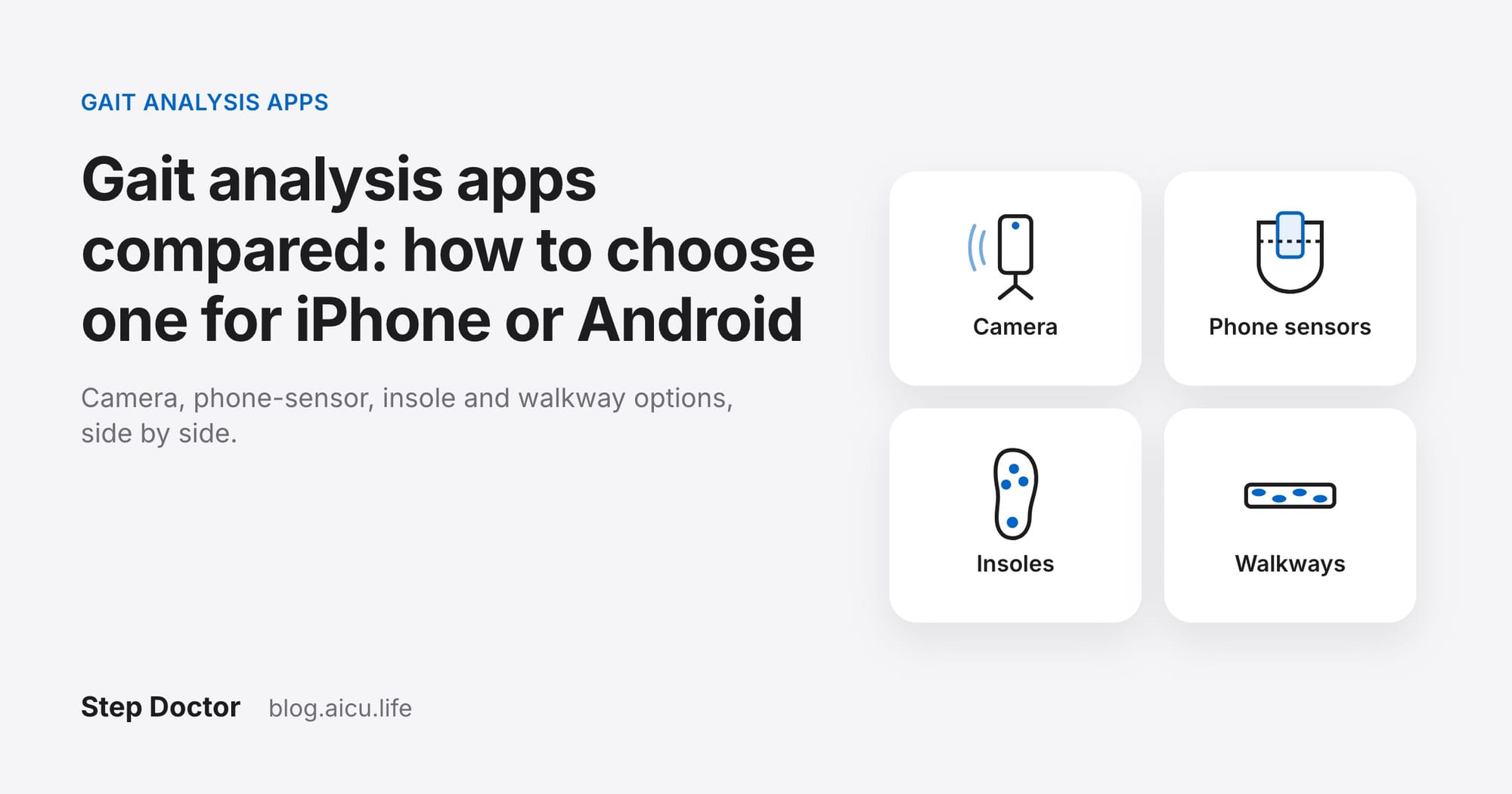
The biggest difference between gait apps isn't the brand, it's how they sense the walk. That decides what equipment you need and how much of the body the app can actually see.
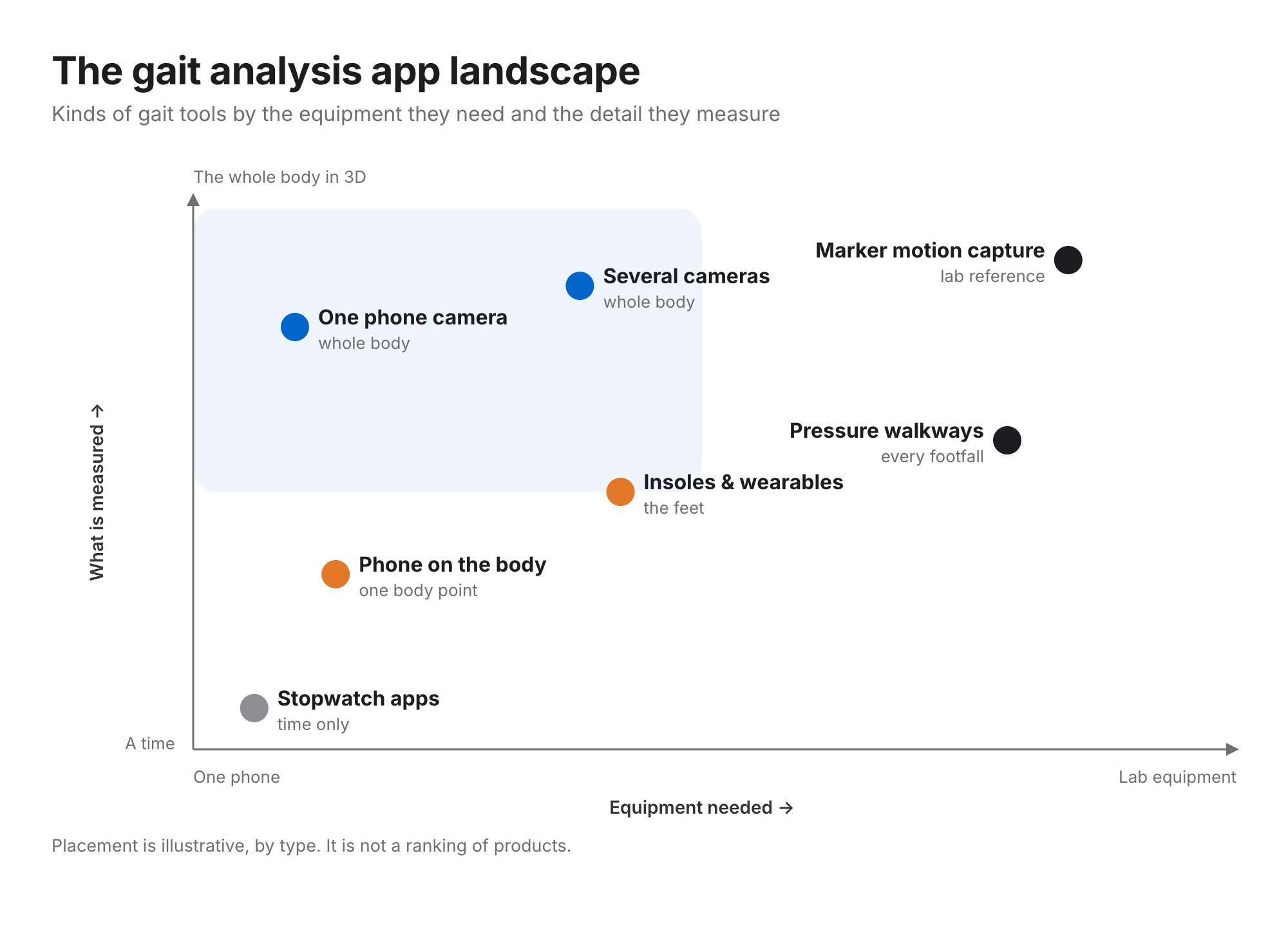
- One phone camera (markerless). A single video of the person, turned into a body model by AI. Nothing to wear, and the walk can be watched back, but the person has to stay in frame, and light and camera placement matter.
- Several cameras (markerless). Two or more synchronised phones. More complete 3D movement for research, at the cost of more setup.
- Phone motion sensors on the body. The accelerometer and gyroscope of a phone in a pocket or on a belt. Little setup and good for everyday walking, but it sees one point on the body and infers the rest.
- Smart insoles and wearables. Pressure or motion sensors in the shoe or on the body. Good for continuous tracking; needs the hardware.
- Pressure-sensing walkways. A mat that records every footfall. The reference many apps are validated against, but only in a lab or clinic, and only while you're on the mat.
Gait analysis apps compared
The options below measure gait. They're listed alphabetically, and the facts come from each vendor's own site or app store listing and the papers they cite, reviewed on 23 October 2026. It isn't a ranking, and we make one of them (Step Doctor). The full comparison, with more tests and more tools, is in our gait analysis app guide.
| Option | How it measures | Runs on | Published validation |
|---|---|---|---|
| Exer | One camera | Phone · tablet · webcam | Not stated |
| GAITRite | Pressure walkway | Walkway + PC | Bilney et al., 2003 |
| GaitKeeperGO | One camera | iOS | Not stated |
| I-SOL Care (Gilon) | Smart insoles | iOS + insole | Not stated |
| Kinetically | One camera | iOS · web | Not stated |
| Lindera | One camera | iOS · Android | Azhand et al., 2021 (Lindera and Charité authors); Strutz et al., 2022 (commissioned by Lindera) |
| OneStep | Phone motion sensors on the body | iOS · Android · web | Shahar & Agmon, 2021 (developer-funded); Christensen et al., 2022 (developer co-authors); Marom et al., 2024 |
| OpenCap | Several cameras | 2+ iPhones · web | Uhlrich et al., 2023 |
| Step Doctor (ours) | One camera | iOS · Android | Internal study against a pressure-sensor walkway; not yet peer-reviewed |
| Zeno Walkway | Pressure walkway | Walkway + PC | Vallabhajosula et al., 2019 |
"Not stated" means we couldn't find a peer-reviewed validation on the vendor's site or listing, not that the tool is inaccurate.
Gait analysis apps for iPhone and Android
Platform support narrows the field quickly. Several camera-based gait apps are iPhone-only (GaitKeeperGO; Kinetically on iOS and the web), and OpenCap needs at least two iPhones. Among the single-camera options in the table, Lindera and Step Doctor list both iOS and Android, and Exer lists phones, tablets and webcams. Phone-sensor apps such as OneStep run on both. If you're on Android, check the Google Play listing before anything else.
Which kind fits you?
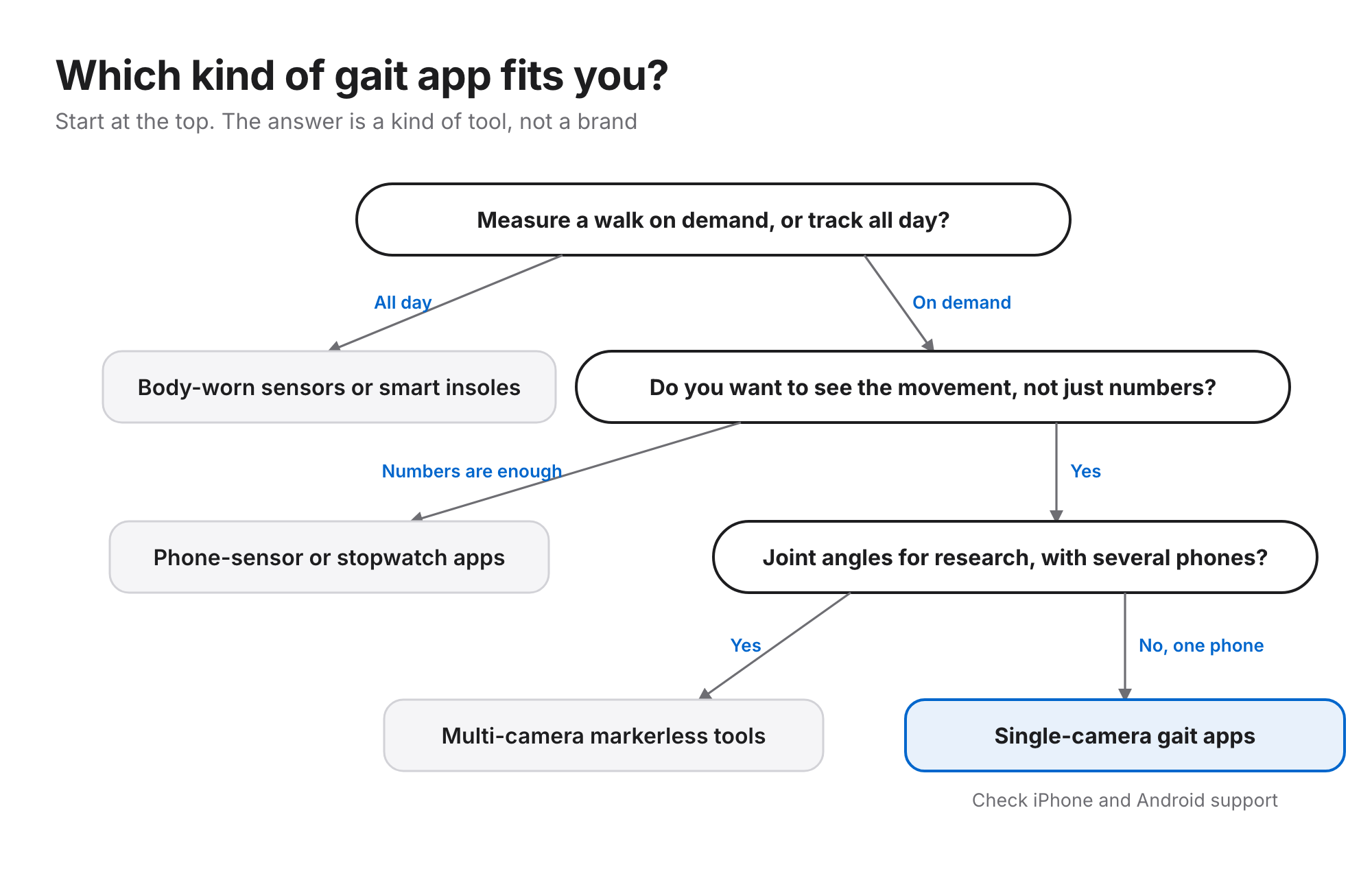
- You want to follow your walking through the day: body-worn sensors or smart insoles are built for that.
- You want a number, quickly: a phone-sensor app, or a stopwatch app for a timed walk.
- You want to see the walk and the measures together: a camera app. You can check every step it counted, and a family member or clinician can film.
- You need joint angles for research: a multi-camera tool, or a lab.
Check the evidence before the features
Feature lists look alike; evidence doesn't. Ask what the app was compared with (a walkway or motion capture is strongest), who walked in the study, whether the developer funded or wrote it, and whether the error is smaller than the change you care about. For walking speed in older adults, about 0.05 m/s is a small but meaningful change and about 0.10 m/s a substantial one (Perera et al., 2006). Our article on how phone gait analysis is validated goes through each question.
Questions
What is the best gait analysis app? There isn't one best app for everyone. The right one depends on whether you want to see the movement or just a number, whether you're on iPhone or Android, whether you'll wear hardware, and how much published evidence you need.
Is there a gait analysis app for Android? Yes. Among the options above, Lindera, OneStep and Step Doctor list Android. Many camera-based gait apps are iPhone-only, so check the Google Play listing.
What is a gait test app? An app that runs a walking test under set conditions and reports measures such as walking speed, step length and cadence, so you can compare results over time or with published reference values.
Can a gait analysis app replace a gait lab? Not for everything. A lab measures joint forces and full 3D motion with reference equipment. Apps are useful for screening and for following change between visits, measured the same way each time.
Step Doctor is a gait analysis app for iPhone and Android that measures walking speed, step length, cadence and left–right balance from one phone video, with a 3D replay and a PDF report. Get the Step Doctor gait analysis app on the App Store or Google Play. It's free to download; each test uses credits, and new accounts get welcome credits.
Step Doctor supports screening and monitoring. It doesn't diagnose, and results should inform, not replace, the judgement of a healthcare professional.