Legal
Account Deletion Request
Delete your GAIT Analysis (Step Doctor) account and its data instantly in the app, or request deletion by email.
Delete your account in the app (instant)
The quickest way is to delete your account directly in the Step Doctor app. It takes effect immediately: no email is needed, and you don't have to reinstall the app.
- Open the Step Doctor app and sign in.
- Tap your profile picture at the top left of the Home screen.
- Scroll down and tap "Delete Account".
- Type "I understand" and tap "Delete Account" to confirm. Your account and its data are deleted right away.
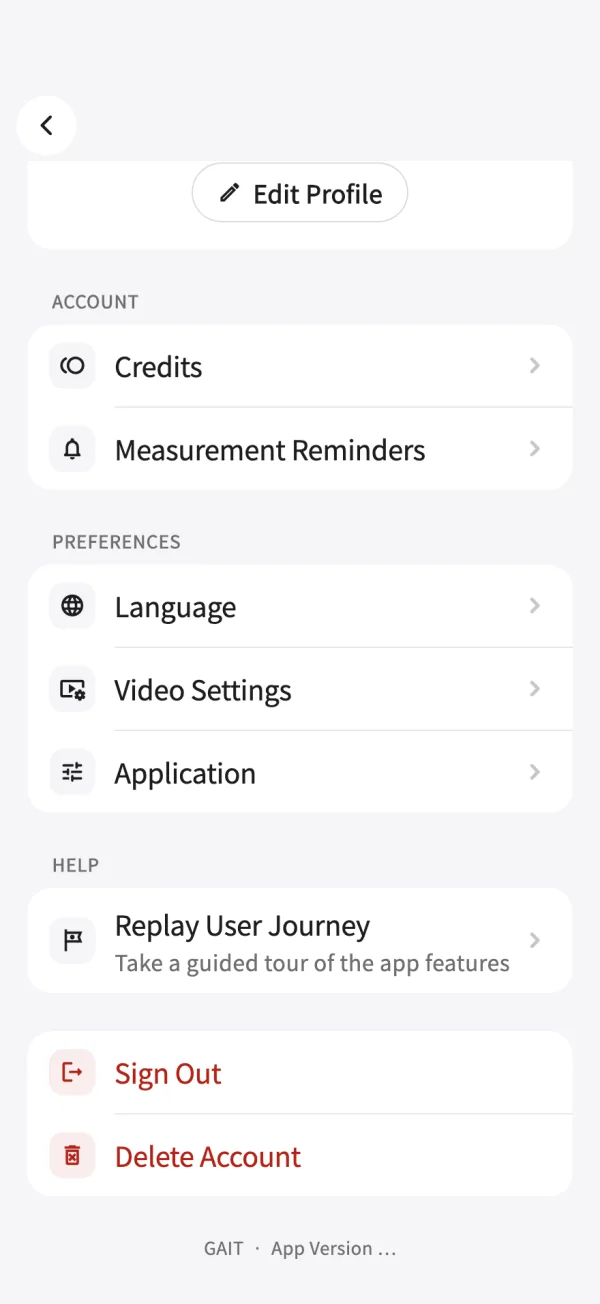
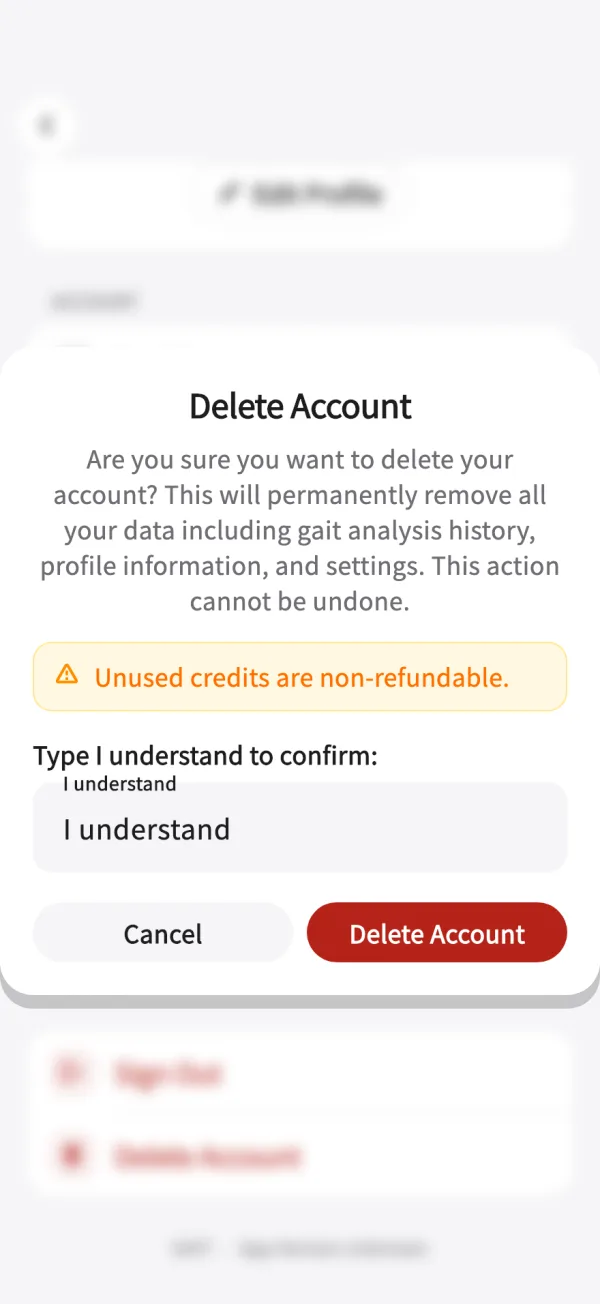
Or request deletion by email
If you can't use the app, you can ask us to delete your account and all associated data by email:
- Send an email from the email address associated with your account.
- Send it to aicu.contact@gmail.com.
- Use the subject line "Account Deletion Request".
- Include your request in the email body using the template below.
- Wait for confirmation from our team.
Important: The email must be sent from the same email address used to create your account. This is required for security purposes.
Email template
You can copy and paste the following template into your email:
Subject: Account Deletion Request

Dear Gait Analysis Support Team,

I am writing to request the deletion of my account and all associated data from the Gait Analysis App.

Email address: [Your email address]
Account holder: [Your name]

I understand that this action is irreversible and that all my data will be permanently deleted within 72 hours of this request being acknowledged.

Please confirm receipt of this request and proceed with the account deletion.

Thank you for your assistance.

Best regards,
[Your name]
Data deletion information
Types of data that will be deleted:
- Personal account information (name, email, profile data)
- Gait analysis results and history
- Usage statistics and preferences
- Any uploaded files or media
- Account settings and configurations
- All associated metadata and logs
Important notice
- Account deletion is irreversible.
- In-app deletion takes effect immediately. For email requests, all data is permanently deleted within 72 hours of acknowledgment.
- No data will be retained after the deletion process is complete.
- You will not be able to recover your account or data once deleted.
Timeline for email requests
- Email sent: You send the deletion request email.
- Acknowledgment: Our team confirms receipt, usually within 24 hours.
- Deletion: Complete data deletion happens within 72 hours of acknowledgment.
- Confirmation: We send a final confirmation that deletion is complete.
Questions?
If you have any questions about the account deletion process, please contact us at aicu.contact@gmail.com.